Recall: Notification History
Every notification you swiped away, still there.
- 1.2.1
- Sep 23, 2026
- Android 8.0+
About this app
You swipe the shade clear a dozen times a day. Most of it is noise, which is why the gesture is automatic — and why the one message that mattered goes with the rest of it.
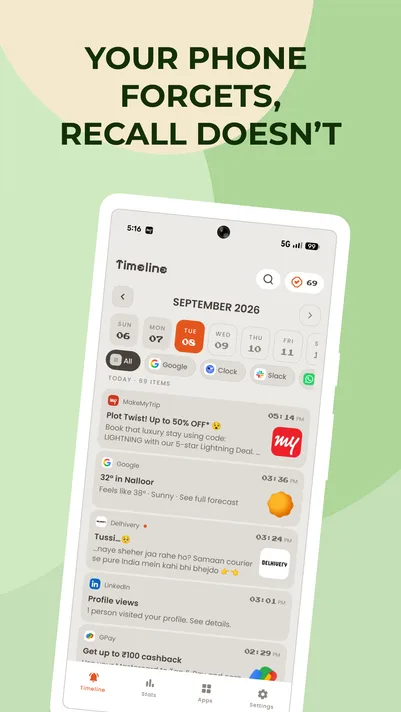
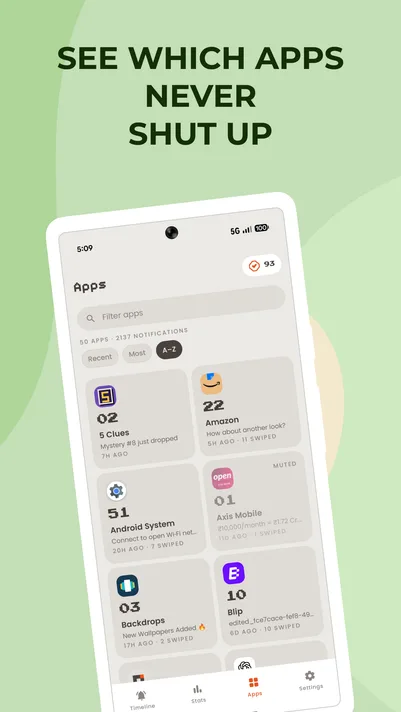
Recall keeps a copy. Every notification your phone receives is saved to a timeline drawn in pixel art, with the app icon, the title, the text, and the time it arrived. Scroll back through today, last week, or as far as your history goes.
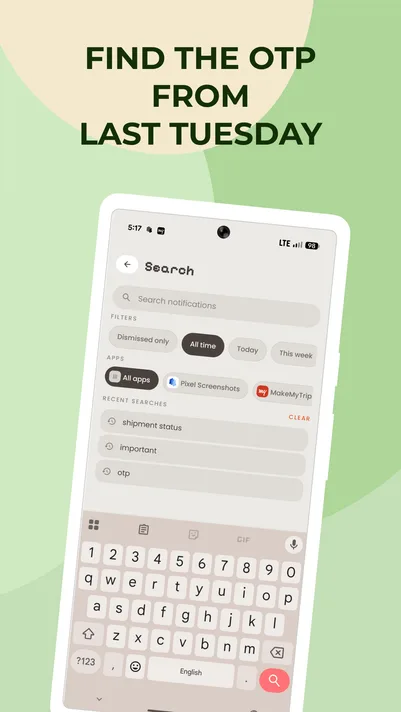
When you know roughly what you're looking for, search it. When you know which app it came from, filter to that app. When you find it, tap the entry and Recall opens the app that posted it, so you land where you were going anyway.
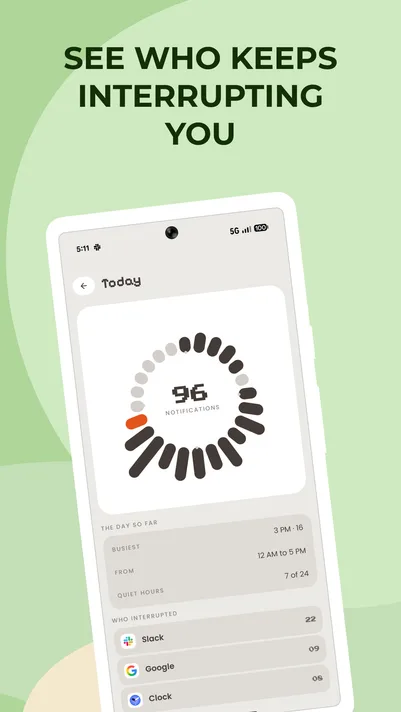
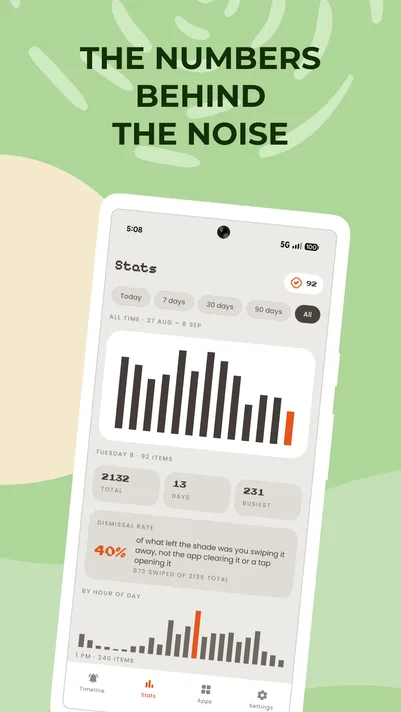
There's a quieter use for it too. The stats view shows what actually reaches you — today, this week, this month, and all time — broken down by app. Most people are surprised by which app is at the top, and it's a short step from seeing that to turning it off.
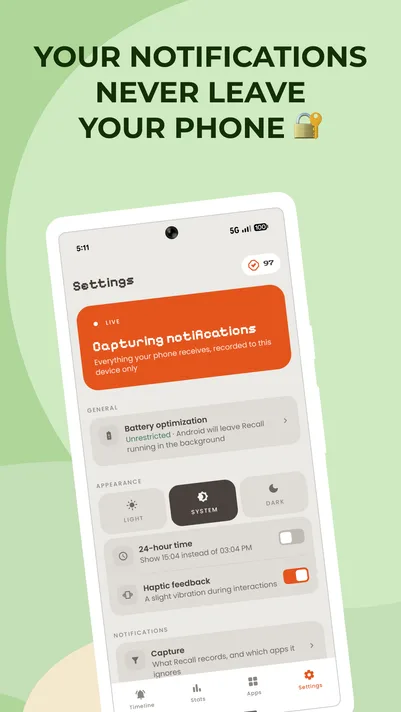
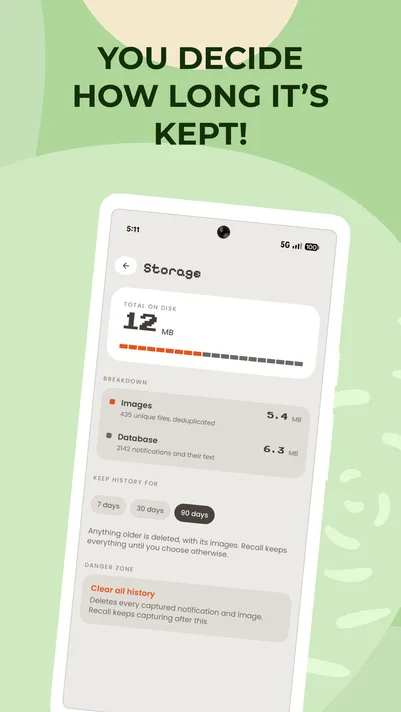
Because a notification log holds real content — messages, codes, private things — Recall treats it that way. Your history is stored on your device. It sits behind your fingerprint or device PIN. You choose how long it's kept, you can exclude any app from being recorded at all, and one tap clears everything.
Made by Bloomix Labs.
What it does
Every notification, kept
The moment a notification arrives it's saved to your timeline, with the app it came from, its title and text, and when it landed. Clearing the shade doesn't touch it.
Search your history
Remember a word from it? Type that. Recall searches across everything you've received and finds it.
Filter and group by app
Narrow the timeline to a single app, or browse app by app when you know where it came from and not what it said.
Tap to jump back
Tap any saved notification to open the app that posted it — the thing you would have done had you not swiped it away.
See what actually reaches you
Stats for today, this week, this month, and all time, so you can see which apps are responsible for most of what lands on your phone.
Exclude any app
Choose apps that should never be recorded. Nothing from them is written down, ever.
Locked behind your fingerprint
Your history opens with biometrics or your device PIN, so a notification log full of private content isn't readable by whoever picks up your phone.
Kept for as long as you say
Set the retention window you want and older entries clean themselves up. Clear all history at any time, in one tap.
Stored on your device
Your notification history lives in your device's private storage. It isn't uploaded, synced, or backed up anywhere else.
Pixel art, all the way down
The timeline, the icons, the stats: every element drawn as pixels rather than filtered to look retro. It's how every Bloomix app is built.
Questions
Privacy and your data
Does anything leave my phone?
No. Recall has no account and no server to send anything to. Every notification it keeps sits in a database on this device, and the only copy that ever leaves is a backup file you create yourself. The free version shows ads, which talk to Google the way any ad does, but they are never given your notifications.
Why does Recall need notification access?
Because it is the only way Android will let any app see a notification. There is no narrower permission that would do the job, and Recall asks for nothing else: no contacts, no files, no location.
Can I keep other people out of Recall?
Yes. App Lock puts Recall behind the same fingerprint or PIN that unlocks the phone, so a handed-over device does not come with a readable history attached.
How capture works
Can Recall show notifications from before I installed it?
No. Android hands a notification to Recall as it arrives and keeps no backlog to hand over, so the history begins at the moment you switched access on.
Why did Recall stop capturing?
Almost always because notification access was switched off, which an app update, a restart or a battery cleanup can all do without asking. Recall says so on the way in when it happens, and the button there puts it back.
Why do some notifications look empty?
Some apps draw their own layout instead of giving Android a title and a body, which is common for offers and promotions. Recall reads what it can out of those, and now and then there is very little in them to read.
Why are pictures missing from some notifications?
A picture belongs to the notification only while it is live. Recall copies one the instant it arrives, but if the sending app had already taken it back there is nothing left to keep.
Can I stop an app being captured?
Yes. Settings has an Exclude list covering everything installed, not only the apps that have already notified you. An excluded app is dropped before anything is read or stored, so it costs nothing at all.
Does Recall drain my battery?
It works in the moment a notification arrives and sleeps the rest of the time. There is nothing polling, nothing syncing and no network traffic beyond ads in the free version.
Pro
What happens to my history if Pro ends?
Nothing is deleted. Anything older than the free window is hidden rather than removed, and all of it comes back the moment Pro is on again. What is actually erased from the device is decided by the retention setting in Storage, and that never changes on its own.
I paid, but Pro is not showing.
Open Pro and tap Restore purchases. Recall also asks Google Play what the account owns every time it starts, so a reinstall or a new phone usually brings it back without being asked.
Where does a backup go?
Wherever you choose to save it. Recall writes a single file and hands it to Android's file picker, so it lands in your own storage or cloud drive and never passes through anything of ours.