- 0.1.1
- Sep 24, 2026
- Android 8.0+
About this app
Lithium-ion batteries don’t enjoy sitting at 100%. Keeping a phone roughly between 20% and 80% is the advice you’ll find from most people who study how these cells age, and it’s easy advice to follow except for one problem: nobody is watching the screen at 80%.
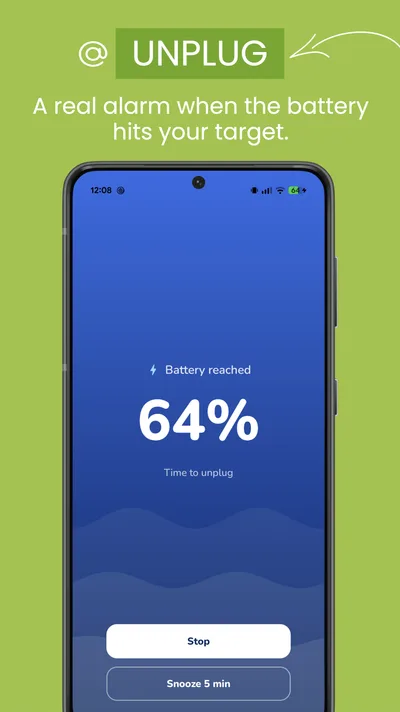
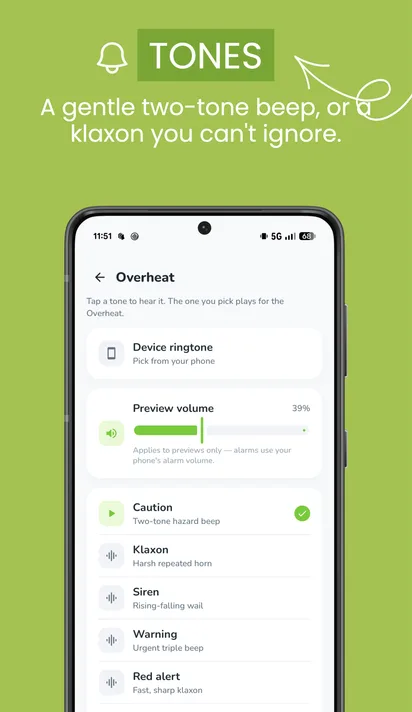
Juice watches instead. Set a level, and when the battery reaches it you get an alarm — a proper one, with a sound you choose, that keeps going until you dismiss it. Not a notification that arrives silently and gets found the next morning.
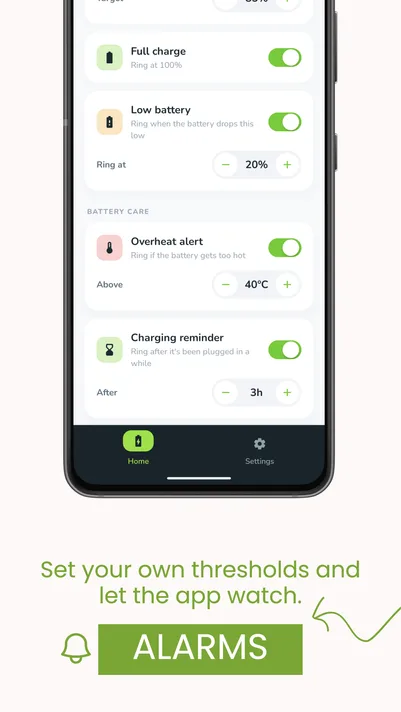
It handles the other moments too. Full charge, so you can unplug the instant it’s done. Low battery, at a level that gives you time to act rather than the system warning that arrives when it’s already too late. Overheating, which matters more than most people realise, because heat does more damage to a battery than charge level ever will.
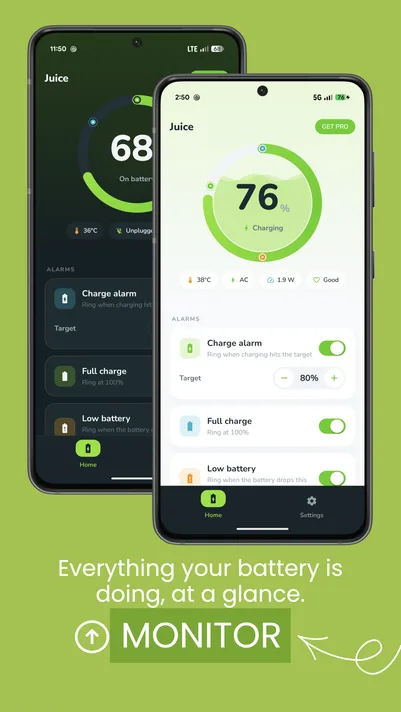
The main screen shows what’s actually happening: current level, temperature, voltage, and the charging speed you’re getting, which is a quick way to find out that a cable you’ve been using is slower than you thought.
One honest note. Android is aggressive about stopping background apps, and a battery alarm is useless if the system decides to pause it. Juice will ask you to exempt it from battery optimisation during setup. It’s one tap, and it’s the difference between an alarm that fires and one that doesn’t.
Made by Bloomix Labs.
What it does
An alarm you’ll actually hear
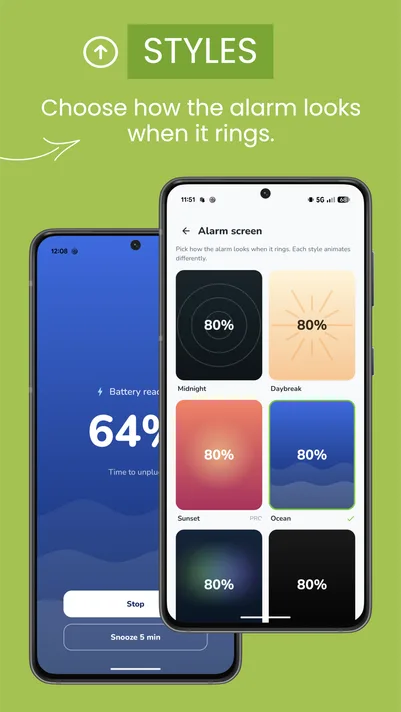
Pick a sound, and it plays properly and keeps playing until you dismiss it. Vibration too, if you’d rather. This is the whole point: an alert you notice while the phone is charging across the room.
Alarm at any level you like
Set your own threshold. 80% if you’re following the usual battery-health advice, 90% if you want more range, anything you like. Unplug at the point you actually chose.
Full charge alert
Know the moment it’s done, so the phone doesn’t spend the rest of the night at 100%.
Low battery alert
Set your own warning level, early enough to be useful. Android’s own warning arrives when you’re nearly out of options.
Overheat alert
Heat is what really ages a battery. Juice tells you when the temperature crosses your threshold, which usually means taking the case off, moving it out of the sun, or unplugging while you game.
Live battery stats
Level, temperature, voltage and charging speed on one screen. A fast way to find out whether a charger or cable is delivering what it claims.
Runs in the background, honestly
A persistent notification means the alarms actually work rather than being quietly killed by the system. It’s the trade Android requires, and you can see exactly what the app is doing at any time.
Your data stays on your phone
No account, no tracking, no analytics. The app reads your battery and nothing else.